Free QR code menu generator
Tablemenu.Link is a free QR code menu generator: type your dishes and prices, publish, and download a QR code that opens your menu on any phone. The code never expires, guests need no app, and every edit appears on the same printed code.
Last updated
- Free: no card, no trial
- QR code as PNG and SVG
- Never expires; edits show instantly
- Guests need no app
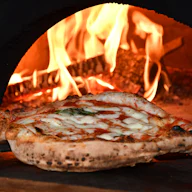
Neapolitan-style pizza from a wood-fired oven, dough rested for 48 hours.
Open now · until 11:00 PM
- Share
12-inch, San Marzano tomato base. Gluten-free base +$3.
- Margherita
Tomato, fior di latte, basil, olive oil.
$14.00PopularVegetarian
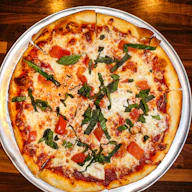
- Marinara
Tomato, garlic, oregano, olive oil. No cheese.
$12.00Vegan
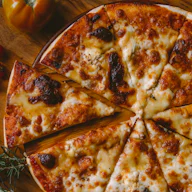
- Diavola
Tomato, mozzarella, spicy salami, chilli oil.
$17.00PopularSpicy
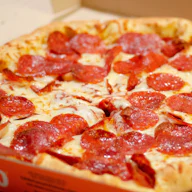
- Capricciosa
Tomato, mozzarella, ham, mushrooms, artichokes, olives.
$18.00
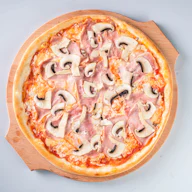
- Nduja and honey
Tomato, mozzarella, nduja, hot honey, basil.
$19.00NewSpicy
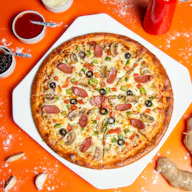
12-inch, no tomato.
- Quattro formaggi
Mozzarella, gorgonzola, fontina, parmesan.
$17.00Vegetarian
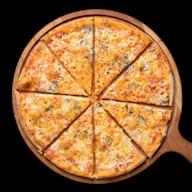
- Funghi e tartufo
Mushrooms, truffle cream, mozzarella, thyme.
$19.00Vegetarian
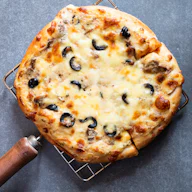
- Salsiccia e friarielli
Fennel sausage, broccoli rabe, smoked provola.
$18.00
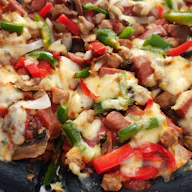
- Garlic knots
Six knots, garlic butter, parmesan.
$7.00Vegetarian
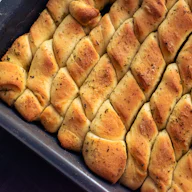
- Burrata
Cherry tomatoes, basil oil, flaky salt.
$14.00VegetarianGluten-free
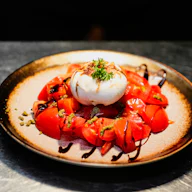
- Rocket salad
Parmesan, lemon, extra virgin olive oil.
$10.00VegetarianGluten-free
Add to any pizza.
- Gluten-free base
Prepared in a kitchen that uses wheat flour.
$3.00Gluten-free
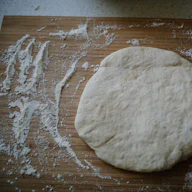
- Extra mozzarella
Fior di latte.
$2.50
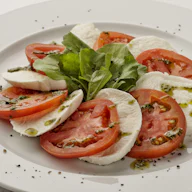
- Chilli oil
House-made, properly hot.
$1.00VeganSpicy
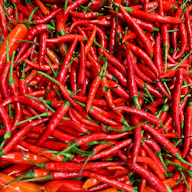
- Tiramisu
Mascarpone, espresso, cocoa.
$8.00Vegetarian
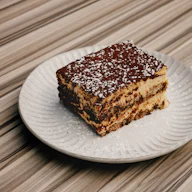
- Nutella pizzette
Fried dough, Nutella, hazelnuts.
$9.00Vegetarian
| Monday | Closed |
|---|---|
| Tuesday | 12:00 PM – 10:00 PM |
| Wednesday | 12:00 PM – 10:00 PM |
| Thursday | 12:00 PM – 10:00 PM |
| Friday | 12:00 PM – 11:00 PM |
| Saturday | 12:00 PM – 11:00 PM |
| Sunday | 12:00 PM – 9:00 PM |
Closed Mondays. Takeaway orders by phone.
Dietary tags are set by the restaurant. Please tell staff about any allergies.
Made with Tablemenu.Link — create your free menu

How do I make a QR code menu for free?
Type your restaurant's dishes and prices into Tablemenu.Link, add your logo and colour, and press Publish, creating a free account as you do. You immediately get your own menu link and a QR code to download as a PNG or SVG. Print the code for your tables; guests scan it and the menu opens in their browser.
Add your dishes
Create categories and type each dish's name, price and description, up to 300 items. Or start from a template.
Make it yours
Upload your logo, choose your brand colour and a dark or light theme. A live phone preview shows the result.
Choose your link and publish
Pick your menu's link and create a free account with an email and a password. Your menu goes live at once, and you edit it later from your dashboard.
Download and print
Download the SVG for print and the PNG for screens, then put the code on tables, the counter and the window.
Does this QR code menu expire?
No. The QR code stores your menu's permanent public link rather than a rented redirect, so there is no plan or trial that can lapse. It keeps working for as long as your menu is published, and every change you save appears on the same printed code.
Many “free” QR generators issue dynamic codes that route through their own servers and stop working when a trial ends. Read static vs dynamic QR codes before you print anything.
What do guests see when they scan the code?
A fast, phone-sized menu page rather than a shrunken PDF: readable text, a row of category shortcuts, prices in your currency and clear dietary labels. Your logo and brand colour make it look like your restaurant, and nothing has to be installed or downloaded first.
Category shortcuts. A sticky row of tabs jumps to Starters, Mains or Drinks.
Dietary labels and filters. Vegetarian, vegan, gluten-free and spicy dishes are labelled, and guests can filter by them.
Search. Longer menus get a search box, so guests find a dish by name.
Sold-out dishes. Switch a dish off and it shows as sold out until you switch it back on.
Opening hours. Weekly hours with an open-now indicator in your time zone.
Which QR code file should I print?
Print the SVG. It is a vector file, so it stays sharp at any size, from a 3 cm table sticker to a 20 cm window poster. Use the PNG on screens: Instagram stories, WhatsApp, emails and documents. Both files open the same permanent menu link.
Keep every code at least 2 × 2 cm, dark on a light background, with a blank margin around it. The guide how to make a QR code menu has a size table for each placement.
How is this different from other QR menu generators?
Most QR menu generators start a free trial, ask for a card, or issue codes that depend on a paid plan. Tablemenu.Link costs nothing, asks only for a free account when you publish, and its code points straight at your menu. The trade-off is that it is view-only: there is no online ordering or payment.
| Tablemenu.Link | Typical paid QR menu tool | |
|---|---|---|
| Price | $0, every feature | A subscription, often after a trial |
| Account | Free account: email and password, no card | An account, often with a card for the trial |
| QR code | Static, never expires | Often dynamic; can stop when the plan ends |
| Ordering and payments | No (view-only) | Often included |
| Visit counts | Approximate menu views in your dashboard | Scan statistics, often on a paid plan |
Frequently asked questions
Something else on your mind? Email hello@tablemenu.link and a person will reply.
Yes. Building the menu, publishing it with a free account and downloading the QR code as a PNG or SVG are all free. There is no trial and no card.
No. The camera app on any recent iPhone or Android phone reads the code and opens your menu in the browser.
Yes. Log in, open the menu from your dashboard, change dishes or prices and save. The printed code opens the updated menu immediately, so you never reprint for a menu change.
No. Each menu has one link and one QR code, and the same code goes on every table. If you need different menus, such as lunch and dinner or two locations, create a separate menu for each; every menu is free.
No. Tablemenu.Link is view-only: guests read dishes and prices, then order with your staff. There is no table ordering or payment step, so guests never have to sign up or enter card details.
Keep reading
- GuideHow to make a QR code menu for freeMake a QR code menu for free in 5 steps: type your dishes, add your logo, publish, download the PNG or SVG code and place it well. Sizes and mistakes to avoid.
- GuideWhat is a QR code menu?A QR code menu is a menu guests open by scanning a code with their phone camera. How it works, static vs dynamic codes, what it costs and whether it's safe.
- TemplatePizza menu templateRed and white pizzas, sides, extras and desserts, with spicy and vegetarian labels and a gluten-free base add-on.
- Use caseFree online menu makerBuild your menu in the browser, match your branding and share one link on Instagram, Google and WhatsApp. Free account, no card, live phone preview.
- Use caseDigital menu for restaurantsA fast, Google-friendly digital menu for restaurants: dietary labels, prices in your currency, a QR code for every table. Free account, no card.
- Use caseDigital menu for cafés and coffee shopsPut your coffee, bakes and specials on a phone-friendly menu with a counter QR code. Update prices and specials instantly. Free, no card.
Put your menu online before your next service
It takes about ten minutes and costs nothing. Create a free account when you publish, and your link and QR code are ready straight away.