

Skip to content
Tablemenu.Link
NewChoose your own menu link — m.tablemenu.link/your-name

Free digital menu maker with QR code

Tablemenu.Link is a free web app that turns your typed dishes and prices into a fast mobile menu with its own link and QR code. Every feature free, no card, no ads on your menu.

  • Every feature free
  • No card, no trial
  • Your own link and QR code

The product in numbers

Every feature
$0
No trial, no card
Currencies
46
Prices typed the local way
Menu languages
20
4 of them right-to-left
Dishes per menu
300
In up to 30 categories
Starter templates
6
Café, Pizza, Bar and more

How it works

How do you make a QR code menu?

Type your dishes and prices, add your logo and brand colour, then press Publish and create a free account. You get your own link and a QR code at once. A typical menu takes about ten minutes.

You need your menu, your prices, your logo if you have one, and an email address for your free account when you publish. No app, no card. Read the step-by-step guide.

  1. Type your menu

    Add categories such as Starters or Drinks, then each dish with a description and a price. The phone preview updates as you type.

    Guest view, updating as you type

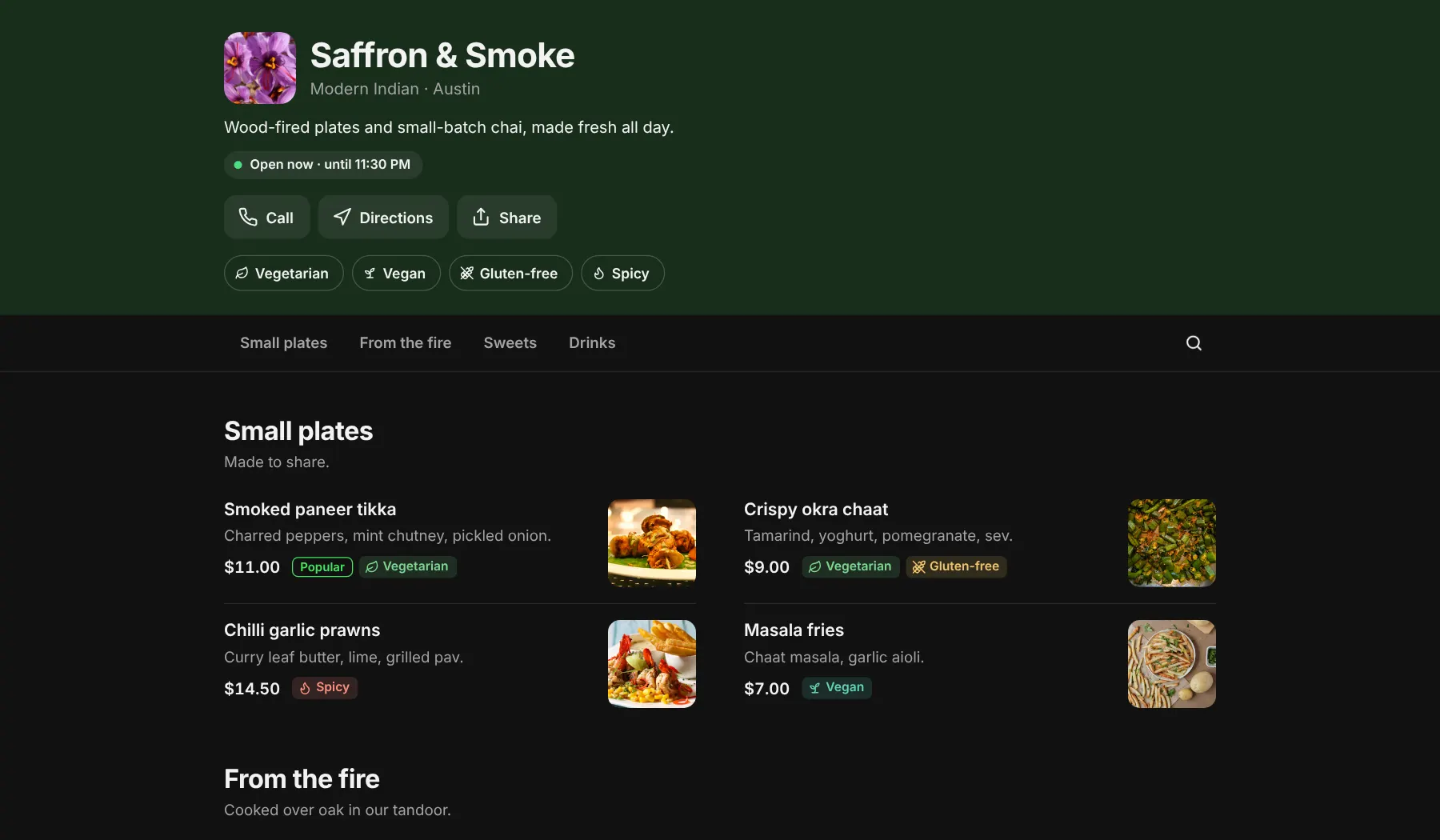
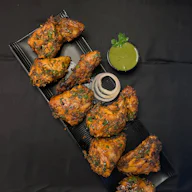
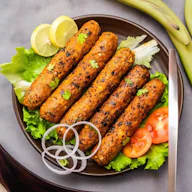
    • Smoked paneer tikka$11.00
    • Crispy okra chaat$9.00
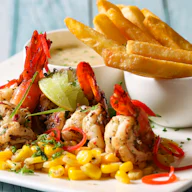
    • Chilli garlic prawnsEditing…$14.50
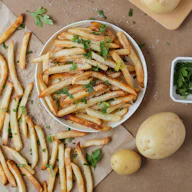
    • Masala fries$7.00
  2. Add your brand

    Upload your logo, pick your brand colour and choose a dark or light menu so it looks like your restaurant.
    Saffron & SmokeModern Indian · Austin
  3. Publish and scan

    Choose your link and create a free account, then download the QR code and print it. Edit any time from your dashboard; the code stays the same.
    Your menu linkm.tablemenu.link/your-name
    • PNG for screens
    • SVG for print
    • Table card
    The code opens the live demo; try it

Features

What can a Tablemenu.Link menu do?

Everything a guest needs to choose, and everything you need to keep the menu current. Every feature is free, with nothing locked behind a plan. Try them here; they work the same on your menu.

Dietary filters and search

Guests filter by vegetarian, vegan, gluten-free or spicy, and larger menus get a search box. Labels sit on every dish.

7 dishes shown
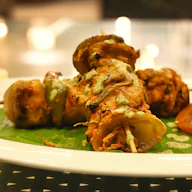
  • Smoked paneer tikkaCharred peppers, mint chutney, pickled onion.$11.00
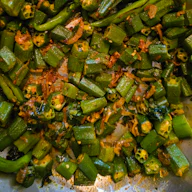
  • Crispy okra chaatTamarind, yoghurt, pomegranate, sev.$9.00
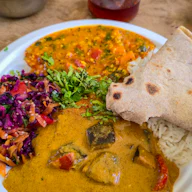
  • Black dal & butter naanSlow-cooked overnight over embers.$15.00
“Open now”, in your time zone

Add your weekly hours once. The menu shows open, closing soon or closed for your restaurant’s time zone, wherever the guest is.

Open now · until 11:30 PM

Saturday
10:00 AM – 11:30 PM

Sold out, not hidden

One switch marks a dish sold out. It stays on the menu, clearly labelled, until you switch it back.

46 currencies

Type prices the way your country writes them, like 12.50, 9,50 or 25.000. Guests see them with the right symbol.

20 languages, 4 right-to-left

Guest labels such as Open now, Search and Sold out follow your menu’s language. Arabic, Hebrew, Urdu and Persian read right to left.

Open nowSearch dishesVegetarianSold out

QR codes ready to print

Download the code as a PNG or a print-sharp SVG, or print a ready-made table card. It never expires and survives every edit.

Your own link

Choose your menu’s username when you publish. Change it later and the old link keeps working, so printed codes never break.

For example m.tablemenu.link/saffron-and-smoke

Letters in any script work too, so a name in Arabic or Hindi stays readable in the link.

Templates

Which template fits your place?

Start from one of 6 real menus with categories, dishes and prices already in place. Swap in your own, add your logo and publish.

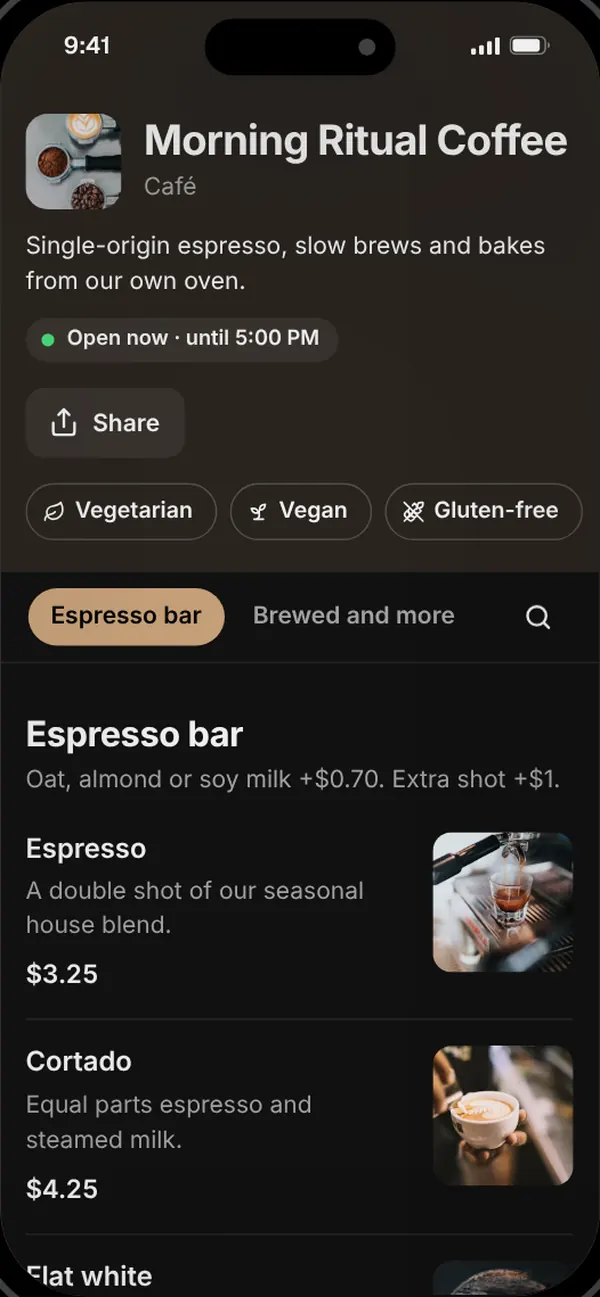
Café template

Morning Ritual Coffee

A made-up café · 4 categories · 18 dishes

Espresso bar, brewed coffee, breakfast and bakes, with milk options and a New tag for seasonal drinks.

  • Put milk alternatives, extra shots and syrups in the Espresso bar description once, instead of repeating them on every drink.
  • When a drink comes in two sizes at different prices, add each size as its own item so prices line up.

All templates: Café, Pizza, Bar, Bakery, Indian restaurant, Food truck. Compare them side by side.

One link, everywhere

Where can guests open your menu?

Anywhere a link or a QR code fits: on the table, in WhatsApp, in your Instagram bio, on your Google Business Profile or on a printed flyer. It is one menu everywhere, so a single edit updates every copy.

One link + QR code
  • QR codes on tables
  • WhatsApp
  • Instagram bio
  • Google Business Profile
  • Printed flyers

Search and AI answers

Will your menu show up on Google and in AI answers?

It is built to. A PDF or a photo of a menu is close to invisible to search engines. A Tablemenu.Link menu is a real web page with structured data, so search engines, and the AI assistants people ask, can read what you serve. No tool can guarantee rankings.

  • Real text, rendered on the serverEvery dish, description and price is text on the page, not a picture or a PDF.
  • Restaurant and Menu structured dataschema.org markup tells search engines and AI assistants exactly what you serve, what it costs and when you are open.
  • Its own title, description and previewEach menu gets a unique page title, meta description and social preview image.
  • Listed in our sitemapOnce a menu has 3 or more dishes it is added to the XML sitemap, so crawlers find it quickly.
  • Fast on 4GA light page with a few kilobytes of JavaScript: no app to install and nothing to download first.

We also publish an llms.txt file, the plain-text guide AI tools read, and a sitemap that lists every indexable menu.

Structured data on the demo menuapplication/ld+json
{  "@type": "Restaurant",  "name": "Saffron & Smoke",  "servesCuisine": "Modern Indian",  "address": {    "@type": "PostalAddress",    "streetAddress": "218 Cedar Street",    "addressLocality": "Austin"  },  "hasMenu": {    "@type": "Menu",    "hasMenuSection": [      {        "@type": "MenuSection",        "name": "Small plates",        "hasMenuItem": [          {            "@type": "MenuItem",            "name": "Smoked paneer tikka",            "suitableForDiet": [              "https://schema.org/VegetarianDiet"            ],            "offers": {              "@type": "Offer",              "price": "11",              "priceCurrency": "USD",              "availability": "https://schema.org/InStock"            }          }        ]      }    ]  }}

Excerpt: one category and one dish of the full menu. Every published menu gets the same, from its own dishes.

PDF vs digital

PDF menu vs digital menu: which is better?

A digital menu beats a PDF for almost every restaurant: it reads properly on a phone, changes the moment you save, and can be understood by Google and AI assistants. A PDF only wins when you need a file to print.

How a typical PDF menu compares with a Tablemenu.Link menu page
What mattersPDF menuTablemenu.Link
Reading on a phoneNo: Pinch and zoom around a page made for paperYes: Text sized for the screen, with category tabs
Opening on mobile dataNo: The whole file downloads first, often several MBYes: A light web page; text appears right away
Changing a priceNo: Edit, export and upload the file againYes: Edit and save; it is live straight away
Sold-out dishesNo: Stay on the menu until you re-uploadYes: One switch marks a dish sold out
Google and AI answersNo: Hard to parse, no structured dataYes: Real text plus Restaurant and Menu schema
Screen readersNo: Often untagged and hard to navigateYes: Proper headings, lists and labels
Search and dietary filtersNo: Not possibleYes: Guests search and filter vegetarian, vegan and more
CostFree to export; printing costs extra$0, with every feature

More detail, including when a PDF still makes sense: PDF menu vs digital menu.

Who it is for

Does it work for my kind of business?

If you serve food or drinks, yes. It is the same free tool for a restaurant, a café, a bar or a food truck; each guide below shows how to set it up for the way you serve.

  • Every dish as real text, and a QR code for every table.

  • Add today’s special or mark the last croissant sold out in seconds.

  • Update from your phone between services; the code by the hatch stays.

  • Swap a tap, change a price or mark a cocktail sold out.

  • Allergen notes on each bake, and a sold-out switch for empty shelves.

  • Sizes, toppings and specials; the codes on your boxes never change.

  • Restaurant, bar, room-service and breakfast menus, without reprinting.

  • Market stalls, canteens, room service: anything with a menu works. See how a QR code menu works.

Pricing

Free. Not a free trial.

Every feature costs $0: no card and no trial period that runs out. You create a free account when you publish. A menu page is cached text, so it costs very little to host.

$0per month,
every feature

  • Edit as often as you like
  • Your own link and QR code
  • Logo and brand colour
  • Photos and dietary labels
  • Menu views in your dashboard
  • No ads on your menu

Frequently asked questions

Something else on your mind? Email hello@tablemenu.link and a person will reply.

A digital menu is a web page that shows a restaurant's dishes and prices. Guests open it from a link or by scanning a QR code, on any phone, without installing an app, and the restaurant can change it at any time.

Open Tablemenu.Link, type your categories, dishes and prices, add your logo and colour, and press Publish, creating a free account with your email and a password. You get your own menu link and a QR code to download as a PNG or SVG straight away, with no card or trial.

Yes. Every feature costs $0: as many edits as you like, your logo and brand colour, photos, dietary labels, your own menu link, QR codes in PNG and SVG, and menu views in your dashboard. There is no trial period and no card.

Only to publish. You can build and preview your whole menu without one. When you publish, you create a free account with an email and a password, so you can edit your menu from any device, change its link and see its views. No card, no trial, no ads on your menu, and no newsletters.

No. The code stores your menu's permanent link, so it keeps working for as long as your menu is published. There is no plan or trial that can lapse.

Yes. Edit dishes, prices or photos from your dashboard and save. The same printed code shows the updated menu straight away.

No. Guests scan the code with their phone camera, or tap your link, and the menu opens in their browser.

No. Tablemenu.Link is view-only: guests read the menu, then order with your staff. It has no online ordering, table ordering or payments.

Each published menu is a fast page with its own title, description and Restaurant and Menu structured data, and menus with at least 3 dishes are listed in our sitemap, so search engines can find and index them. No tool can guarantee rankings.

Put your menu online before your next service

It takes about ten minutes and costs nothing. Create a free account when you publish, and your link and QR code are ready straight away.